In the modern corporate infrastructure, data flow operates exactly like a city’s water supply. If there is a crack or blockage anywhere along the pipeline, the entire system experiences a severe drop in pressure. In commercial IT infrastructure, damaged ethernet cables often cause bottlenecks. This issue happens a lot. Many business owners blame their internet service providers or network switches for slowdowns. However, the real problem is usually the copper or fiber cables inside the walls.
Cable problems often cause issues like damaged ethernet cabling. Workstations may lose packets. Video streams can break. Database access might slow down. Operating a modern business facility across Saudi Arabia means maintaining strict digital efficiency. At Shan Network Company, we see how minor cable issues scale into expensive system blackouts.
To keep your team working at their best, you must know how to:
Identify physical link failures
Execute emergency cable fixes
Install protective low-voltage layouts
Physical infrastructure damage rarely causes an instant, clean system shutoff. It leads to slow network speeds. This can frustrate your team and lower daily productivity. Ignoring small connectivity issues can lead to serious operational challenges for your business:
Massive Operational Downtime: Local network drops can happen. This may occur during client presentations or when processing credit cards. This leads to immediate financial loss and harms your brand’s reputation.
**Severe Hardware Stress:** A damaged or bent data wire causes network switches to resend bad data packets. This constant re-transmission can overheat critical network hardware, leading to early failure.
**Data Leak Vulnerabilities:** Exposed copper pairs in poorly shielded lines can lead to crosstalk. This allows signals to bleed into nearby paths, creating security gaps. Malicious network sniffers can then exploit these gaps to intercept internal data.
Failed Regulatory Inspections: Cables with cracked, cheap plastic jackets don’t meet today’s strict fire safety codes. This can lead to serious penalties for your business.
Deploying and maintaining commercial data networks in Makkah needs a good understanding. You must know local environmental and architectural factors well. The region has unique physical challenges. These issues speed up the breakdown of standard network infrastructure.
The extreme summer temperatures in Makkah heavily stress internal ceiling pathways. When server closets or false ceilings don’t have good climate control, cheap PVC jackets on network lines can become brittle and crack. This exposes the delicate internal copper pairs to moisture and dust.
Makkah features a mix of historic masonry buildings and modern commercial towers. Running new lines in old structures means pulling wires. Often, this is through tight and rough concrete paths. Sharp edges of stone and concrete can cut cable jackets during installation. So, use protective conduits to prevent damage.
During major commercial and seasonal peaks, local businesses scale up their operations significantly. This sudden jump in transaction volume forces network systems to run at maximum capacity. With this heavy data load, any existing cable flaw or micro-fracture will quickly cause network drops and system lag.
To discover more about how commercial enterprises adapt their corporate spaces to handle high-frequency data loads across the region, exploring the complete structural case studies over at Shan Network Company provides valuable insights into local infrastructure optimization.
Physical cable damage is often hard to see. Wires are usually hidden behind drywall, under raised floors, or inside heavy plastic conduits. However, your network hardware will show clear warning signs when a physical link is beginning to fail:
**Random Connection Drops:** If a workstation loses its server connection when a worker moves their desk, it may be due to a broken internal wire pair.
Speeds Dropping from 1Gbps to 100Mbps: Modern network switches lower port speeds to 100Mbps. They do this when they find a faulty connection. If your gigabit network link suddenly drops to old 100Mbps speeds, the cable has likely suffered severe structural damage.
**High Packet Loss in Diagnostics:** If a standard ping test shows high packet loss or random timeouts, the copper lines are likely having issues. They struggle to send clear electrical signals.
Excessive Cross-Talk and Audio Lag: In corporate offices using Voice over IP (VoIP) phones, physical cable damage will introduce noticeable echo, static noise, and dropped audio segments during client calls.
Knowing how data cables get damaged helps your IT team act early. This can save your business from costly emergency repairs later. Most physical wire failures stem from a few common hazards:
During office build-outs, new technicians often pull long wire bundles too hard through tight conduits. This stress stretches the internal copper pairs. It changes their physical properties and breaks the reliable data flow permanently.
Data lines are engineered to bend gradually, not sharply. Bending a high-speed Cat6 or Cat6A line sharply at 90 degrees can crack the internal plastic separators. This causes the copper pairs to touch, leading to serious signal interference.
Running standard unshielded data wires next to power lines causes strong interference. Heavy AC ducts also create this problem. This is known as electromagnetic interference (EMI). Outside electrical noise disrupts data transmission. This causes corrupt files and slows network speeds.
To help your admin team pick the right replacement parts for a network upgrade, here’s a quick look at how various cable specs perform under stress:
Standard Category 6 (Cat6 UTP) Copper Lines
Maximum Data Rate: Up to 1 Gbps over standard 100-meter runs.
Bandwidth Frequency Range: Operates steadily at 250 MHz.
**Physical Vulnerability Rating:** High risk of noise from nearby high-voltage lines.
Best Use Case:
Standard office workstation desks
Local administrative printers
Dedicated retail point-of-sale systems
Shielded Category 6A (Cat6A STP) Copper Lines
Data Limit Capability: Blazing-fast 10 Gbps speed up to 100 meters.
Frequency Rating: Operates at a 500 MHz frequency.
Physical Vulnerability Rating: Highly durable; internal foil shielding blocks outside electromagnetic interference.
Best Use Case:
Central server room link connections
Multi-floor network spines
High-interference warehouse floors
Single-Mode Optical Fiber Links
Data Limit Capability: 100+ Gbps data throughput effortlessly.
Bandwidth Frequency Range: Virtually unlimited transmission spectrum.
**Physical Vulnerability Rating:** Immune to electrical noise. However, it needs protective conduits to avoid micro-cracks from structural shifts.
Best Use Case:
Connect server rooms in multi-floor corporate HQs.
Link separate facilities over long distances.
Multi-Mode Optical Fiber Links
Data Capacity: Supports speeds from 10 Gbps to 40 Gbps.
Bandwidth Frequency Range: Optimized for high-frequency laser transmission paths.
Physical Vulnerability Rating:
Fully immune to electrical interference.
Needs professional termination to prevent signal loss.
**Best Use Case:** Short-range, high-speed links connect core network switches in a centralized server room.
When a critical network path fails, your business cannot afford to wait around. Our field teams use a strict, scientific plan to safely restore your system’s connectivity.
We connect high-end Fluke Network Analyzers to the problematic network drop. These tools send signals to find the exact spot of a cable break or crimp in the wall. This helps us avoid tearing down drywall for no reason.
Once the faulty section is located, we carefully remove the broken wire segment from its conduit. We inspect the pathway to clear out any sharp debris, drywall dust, or old adhesive that could threaten the replacement lines.
We pull a new, certified solid-copper line through the safe path. We use lubricants and check the pulling tension. This keeps the cable’s structure intact.
The new line connects to high-grade patch panels and wall faceplates with gold-plated keystone jacks. This design creates a tight connection that stops future oxidation.
We conduct a final check to ensure the new link meets its maximum speed. It should have no packet loss. Then, we send a certified test report to your local IT team.
The best way to handle network issues is to prevent them from happening in the first place. To create a strong data setup, follow these key design principles in your facility:
Utilize Heavy-Duty Metallic Conduits: Never leave raw data lines exposed inside open walls or drop ceilings. Running lines through rigid PVC or metal conduits protects your infrastructure. This helps prevent accidental damage during maintenance.
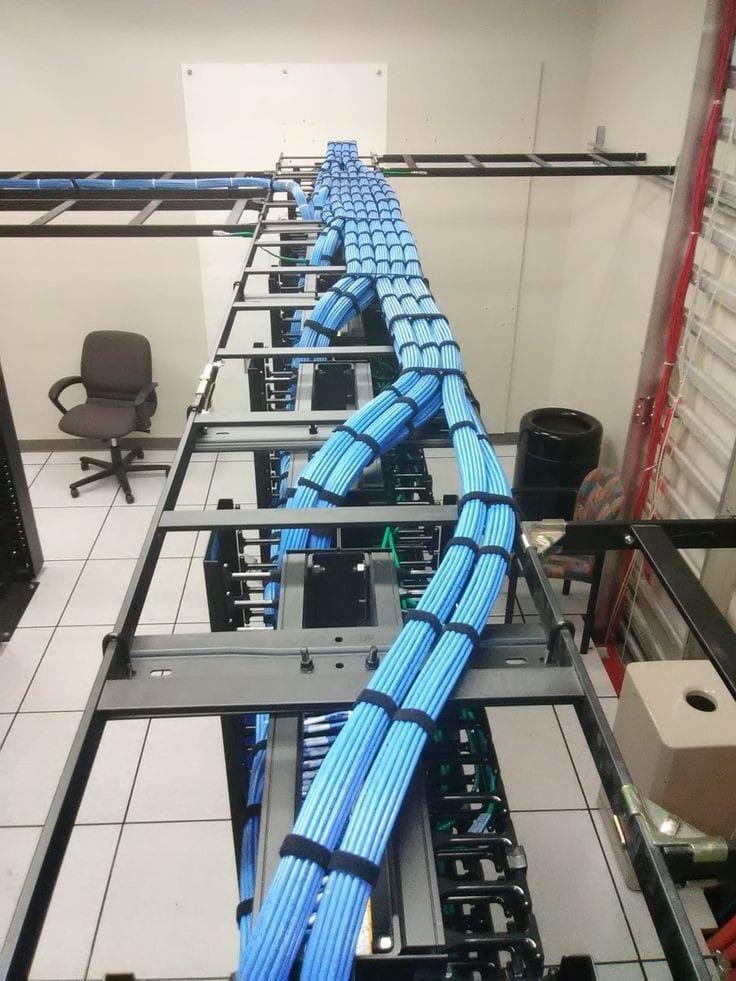
**Use Clear Color Codes:** Assign unique colors to different office systems. For example, use blue for workstations, yellow for VoIP phones, and white for security cameras. This organization allows your IT staff to manage lines effortlessly.
Use Vertical Cable Organizers: Don’t let heavy wire bundles hang loosely from your network switches. Using vertical and horizontal cable management racks helps support termination points. This keeps connections tight and prevents them from loosening over time.
Corporate teams that need certified low-voltage experts should reach out. Contact the engineering desk at Shan Network Company. This is a quick way to update your workspace layouts and modernize your data environment.
Yes, a degraded line can often keep an active link open, but your connection speeds will be heavily impacted. The network switch will often reduce performance and resend lost data packets. This causes slow file transfers, laggy video calls, and random system delays.
The fastest way to isolate the issue is to connect a laptop directly to your main network switch using a fresh, certified patch cord. If your device gets full gigabit speeds at the switch but slows down at your desk outlet, the cable in your walls is likely damaged.
No, never patch high-speed data lines using manual wire twists or basic electrical tape. This changes the wire’s twist ratio and insulation. As a result, it creates high signal resistance and cross-talk, making the cable ineffective for enterprise speeds. Damaged lines must be fully replaced or properly ended with certified junction boxes.
They use several methods:
Cable Testers: These tools send signals through cables to find breaks.
Visual Inspection: Technicians check for signs of damage or wear.
Signal Tracing: They follow the signal path to identify issues.
Thermal Cameras: These detect heat differences in walls, indicating problems.
Sonar Devices: Used to listen for breaks in the cables.
By combining these methods, teams can accurately locate hidden breaks.
Professional network teams use advanced Time-Domain Reflectometer (TDR) tools. One example is the Fluke Network Certifier. These diagnostic devices send high-frequency electrical pulses through the wire. They measure the return reflection to map the entire path. This helps pinpoint structural defects to the exact centimeter.
Yes, absolutely. We know that doing network maintenance during business hours can disrupt your daily work. Our field installation crews provide flexible scheduling. They handle infrastructure pull-outs, server room upgrades, and emergency cutovers. We can work overnight or on weekends to keep your business running smoothly.
Do not let aging, degraded, or poorly installed network lines slow down your daily business performance. Investing in a certified physical layer is key. A professional installation helps keep data secure. It also supports long-term corporate growth.
Contact Shan Network Company today. Schedule an expert on-site structural audit. Get a clear cost estimate. Secure a fast, reliable, and future-proof digital workspace.
Get the latest updates via email. Any time you may unsubscribe.