Today, companies need instant cloud access. They also use automated database syncing and real-time communication. So, having a reliable physical IT framework is essential. Many corporate managers spend a lot of riyals on software firewalls, core switches, or cloud subscriptions. They do this to fight unexpected system lag and connection dropouts. Most local business downtime comes from a problem with a physical network cable. A copper strand or optical fiber in your office walls can break down. When that happens, your high-speed business can come to a costly stop in seconds.
The physical cable network operates exactly like the biological nervous system of your workspace. If a single nerve path is crushed, stretched, or poorly terminated, the brain cannot send or receive clean signals. Finding and fixing a network cable fault needs skilled low-voltage experts and special tools.
At Shan Network Company, we focus on three key areas:
Managing enterprise-grade infrastructure audits
Emergency cable remediation
High-performance low-voltage deployments
We serve clients all over Saudi Arabia.
Knowing the common causes of physical transmission failure can help. It allows your organization to reduce costly system outages. This saves time and keeps your local workforce running at full capacity.
A clean software crash stops a system right away. In contrast, a network cable fault causes slow and erratic drops in performance. Hidden infrastructure errors can put your corporate facility at serious risk.
Packet Loss and Speed Drops: A damaged data wire makes your routers and switches keep re-sending lost or corrupted data packets. This continuous loop bogs down your network capacity, dropping user speeds from a blazing 1 Gbps down to a sluggish 10 Mbps.
Frequent, Unexplained VoIP Phone Dropouts: Modern Voice over IP (VoIP) phone systems can easily drop calls. They are sensitive to changes in physical links. A small fault along a desk line can cause issues. You may hear annoying echoes, experience broken audio, or face sudden disconnections. These problems can disrupt important client calls.
Premature Network Switch Port Failures: A local data wire can have an internal short circuit. This puts stress on the ports of your core server distribution switches. This continuous load can permanently fry expensive hardware components before their expected lifecycle.
Data Corruption and Incomplete Cloud Syncs: If your local connection drops, it can corrupt database entries. This can happen when sending large files. It may also corrupt file logs.
To set up and keep strong, high-performing structured networks in Makkah, you need to know the local conditions. You also need to know regional building practices. Commercial workspaces in this metro area face unique challenges that speed up cable wear.
Extreme summer heat in Saudi Arabia causes serious thermal stress on low-voltage lines. These lines run through false ceilings, roof spaces, and uncooled vertical building risers. If your installer used low-quality PVC insulation, heat can make the outer jackets brittle and dry. This can lead to internal pair separators cracking and failing over time.
During busy seasons for business and pilgrims, local offices, hotels, and logistics see big jumps in data use. When many users and devices use the network at once, even a small cable defect can cause problems. A weak spot can overheat and drop connections when the data load is high.
Makkah has a unique blend of tall commercial buildings and older brick structures. Pulling high-speed data cords through tight concrete pathways or old conduits can be risky. Without professional help, you might scrape or slice the cable shielding. This can cause permanent faults before the system is even powered on.
Check out Shan Network Company’s services to see how they protect against local environmental risks. They focus on infrastructure. They offer a clear plan for long-term system strategy.
Fixing a problematic data setup requires moving past quick, temporary patches. Your engineering team needs to identify the exact cause of the connection drops. Most internal network faults are caused by a few specific factors:
In office setups or quick renovations, untrained workers often pull long cable bundles. They do this through tight conduits. Sometimes, they use too much force. This stress stretches the internal copper pairs. It changes the wire’s physical properties and harms its ability to support gigabit speeds.
High-speed data lines (like Cat6 and Cat6A) are engineered to curve gradually around corners, not bend sharply. Bending a copper cable sharply at a 90-degree angle in a wall junction box can break the plastic dividers inside. This results in the internal pairs pressing together, which leads to significant signal cross-talk.
Cheap, generic patch cables and low-grade wall faceplates often use thin, sub-par gold plating on their contact pins. Over time, moisture and dust in the office make these cheap connections oxidize. This creates high electrical resistance, leading to a lasting network cable fault.
Data lines under raised office floors or in open drywall spaces can easily get crushed. This often happens during building maintenance, furniture moves, or HVAC adjustments. A single heavy metal frame or tight plastic zip-tie crushing a data line will ruin its transmission capacity.
To help your admin or procurement team pick the right parts for an office network upgrade, here’s how different setups deal with physical stress:
Standard Category 6 (Cat6 UTP) Copper Cable Systems
Data Limit Performance: Delivers up to 1 Gbps speeds over standard 100-meter runs.
Bandwidth Frequency Range: Runs steadily at 250 MHz.
Fault Vulnerability Level: High. It lacks extra internal shielding. This makes it vulnerable to crushing and outside electrical interference.
Best Enterprise Application:
Standard end-user desktop workspaces
Dedicated administrative printer hubs
Local retail point-of-sale areas
Shielded Category 6A (Cat6A STP) Copper Cable Systems
Data Limit Performance: Delivers blazing-fast 10 Gbps speeds across the full 100-meter limit.
Bandwidth Frequency Range: Runs smoothly at 500 MHz.
Fault Vulnerability Level: Extremely low. Internal foil layers shield against external electrical noise and physical stretches.
Best Enterprise Application: It connects busy server room frames. It links core paths on different floors and fits compact corporate layouts.
Single-Mode Optical Fiber Architecture
Data Limit Performance: Easily exceeds 100+ Gbps data limits.
Bandwidth Frequency Range: Virtually unlimited transmission spectrum.
Fault Vulnerability Level: No electrical vulnerability; fully immune to electromagnetic fields. However, it needs protective conduits to stop micro-cracks from forming due to shifts.
Best Enterprise Application: Vertical backbones connect floors in buildings. High-speed data links join separate commercial facilities.
Multi-Mode Optical Fiber Architecture
Data Limit Performance: Ranges securely from 10 Gbps to 40 Gbps data speeds.
Bandwidth Frequency Range: Optimized for high-frequency laser transmission systems.
Fault Vulnerability Level: No electrical vulnerability. Professional termination is needed to prevent laser signal loss at connection points.
Best Enterprise Application: Quick links connect core distribution switches. These are in a central server closet.
If your office workstations have sudden network dropouts, your IT staff should act. They should follow a clear, step-by-step testing guide. This will help find the issue quickly. This will help them quickly find the physical failure.
Step 1: Check the Hardware Link Lights on the Switch
Walk into your central server room and inspect the LED link indicators on your network switches. An unlit port or a flashing amber light shows a major link failure or a dead wire along that run.
Step 2: Run Continuous Local Gateway Ping Tests
Open the command line on the workstation. Then, run a continuous ping test to your local router’s gateway address. If the test shows high packet loss or wildly inconsistent latency response times, you are likely dealing with a physical cable fault.
Step 3: Conduct a Visual Inspection of Local Patch Cords
Examine the short patch cables connecting the computer to the wall jack and the patch panel to the switch. Look for broken plastic clips, sharp bends, or exposed wire pairs. Swapping out a damaged patch cord is often the quickest fix for localized workstation drops.
Step 4: Perform Time-Domain Reflectometry (TDR) Analysis
Connect an advanced TDR cable tester to the faulty wall drop. This advanced diagnostic tool sends a high-frequency signal through the wire. It measures the exact distance to cable breaks, shorts, or split pairs. This helps pinpoint the issue behind the wall to the exact centimeter.
Step 5: Verify Continuity and Wiremap Configuration
Use a certified network analyzer to check that all eight internal copper pins are connected correctly on both ends. Follow the T568B wiremap standard. A single crossed or loose wire strand will instantly trigger data transmission failure.
The main goal for any modern business is to create strong physical infrastructure. This helps prevent cable faults before they occur. True digital stability requires investing in a few core preventative strategies:
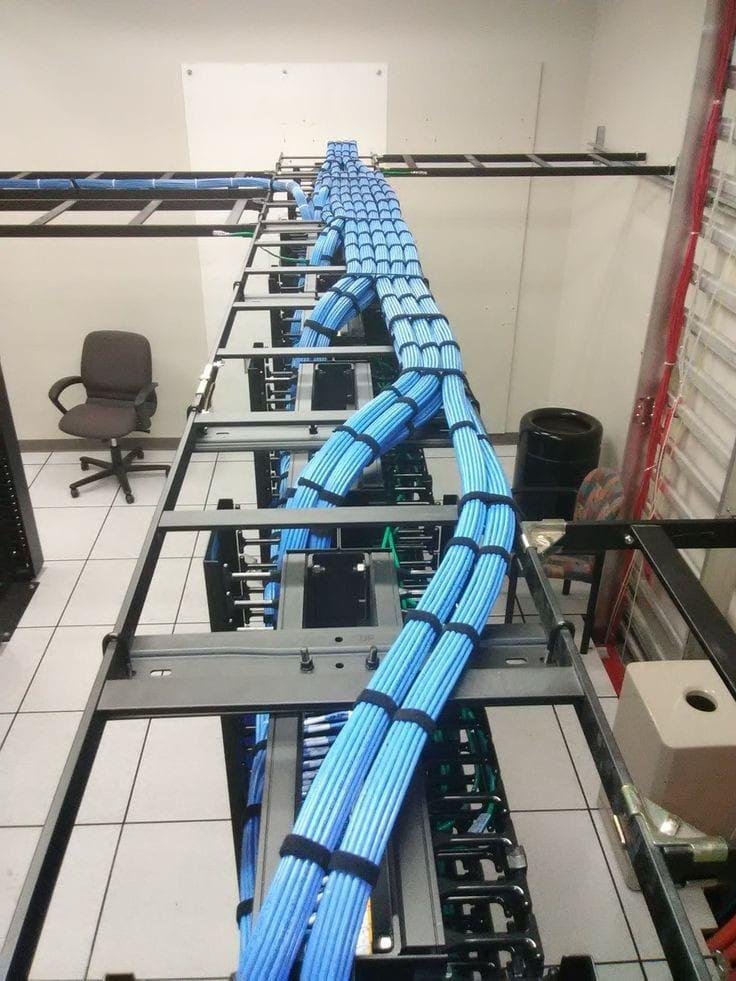
Never allow your data lines to hang loosely across drop ceilings or rest directly on top of office lighting panels. Use strong PVC or metal conduits for your infrastructure. Also, use professional J-hooks to support long cable paths. This will prevent sagging and stretching over time.
Maintain a strict safety gap of at least 5 to 12 inches between your low-voltage data cables and the building’s main electrical power lines. Keeping these lines apart blocks heavy electromagnetic interference (EMI) from corrupting your data.
Always maintain an accurate, up-to-date layout map of your entire office network.
This documentation needs:
Clear patch panel diagrams
Assigned data drop numbers for each workstation
Confirmed fluke testing reports
This setup helps your IT staff troubleshoot problems quickly.
For corporate teams that need to audit their physical infrastructure, Shan Network Company is a great option. Their engineering desk can help protect against data disruptions. This ensures your local business network stays secure.
Yes, absolutely. When a data cable is partially damaged or compressed, it creates intense electrical resistance and signal noise. Your network switches will detect these corrupted files and constantly force data re-transmissions. This endless loop uses up your local network. It can slow things down a lot, making it feel like your internet is down.
This issue points directly to a damaged patch cord or a loose wall keystone jack termination. When an employee moves their chair or desk, it can shake a loose copper connection in the wall or floor. This causes a quick disconnect that breaks active cloud sessions and VoIP calls.
No, you should never patch high-speed corporate data lines using manual wire twists or basic electrical tape. Modern network cables rely on specific twist ratios. This helps block crosstalk and interference. Changing this architecture adds a lot of signal resistance. This makes the wire ineffective for professional enterprise speeds. Damaged lines should always be completely replaced or repaired using certified junction boxes.
A certified structured cabling installation using solid copper lines can last 10 to 15 years. During this time, it won’t lose performance. Most physical network faults happen because of issues after installation. Accidental damage during renovations is one cause. Untrained workers may change cables without managing them. Rodents also chew on exposed cables.
We know that running diagnostics and replacing core data lines during business hours can interrupt your daily work. Our certified field crews are flexible. They can schedule work overnight or on weekends. They handle infrastructure repairs, cable pulling, and server room migrations. This keeps your business running smoothly.
Do not let aging, degraded, or poorly installed network lines slow down your daily business performance. A strong, well-planned physical infrastructure is key for secure data management. It also supports long-term business growth.
Contact Shan Network Company today. Schedule an expert on-site structural audit. You’ll get a clear cost estimate. Ensure a fast, reliable, and future-proof digital workspace.
Get the latest updates via email. Any time you may unsubscribe.